
A technical SEO tool exists to answer one of a handful of core questions: can search engines crawl this site, can they render it correctly, is it fast enough, and is it structured in a way that earns full ranking eligibility. This guide is for SEO managers, developers, and site owners who want to know which tools genuinely earn a place in a technical SEO stack in 2026, rather than accumulating a dozen overlapping subscriptions. You will learn what each major tool actually does best, who it fits, and how to combine a small number of them into a lean, effective toolkit instead of an overgrown one.
What a Technical SEO Toolkit Actually Needs to Cover
A complete technical SEO stack needs to cover the full crawl to render to index to rank pipeline: crawlability and indexation, site architecture and internal links, page speed and Core Web Vitals, structured data, JavaScript rendering, and server-side signals like status codes, redirects, and log files. No single tool covers every one of these areas equally well, which is why most working stacks combine two to four tools rather than relying on one platform for everything.
Google Search Console: The Non-Negotiable Free Foundation
Google Search Console is the strongest free SEO tool available for one simple reason: its data comes directly from Google rather than from an estimate or a third-party crawl simulation. It surfaces organic queries, clicks, impressions, average position, index coverage status, Core Web Vitals scores based on real user data, and structured data validity, all for any verified property at no cost. If you encounter problems with pages not appearing in Google, our guide to common indexing issues in GSC covers the most frequent causes and how to fix them.
Best for: Every single site, with no exception. This is the one tool on this list that is not optional.
Screaming Frog: The Standard Desktop Crawler
Screaming Frog remains one of the two most widely used technical SEO tools, and for good reason. This desktop-based crawler delivers deep, accurate insight into broken links, duplicate content, missing metadata, redirect chains, and canonicalization issues, and it renders JavaScript so single-page applications get checked with the same rigor as static HTML. Its free version handles sites under 500 URLs, while the paid license, priced affordably per year, removes that limit entirely and adds custom data extraction and PageSpeed API integration.
Best for: Any site from a small blog to an enterprise platform, and the default first crawler most SEOs reach for.
Sitebulb: Best for Visual, Prioritized Crawl Reports
Sitebulb is the second of the two most commonly used desktop crawlers, distinguished from Screaming Frog primarily by how it presents findings. Rather than a raw data table, Sitebulb organizes issues into visual, prioritized reports with plain-language explanations, which makes it easier for a broader team, not just a technical specialist, to understand what an issue means and why it matters.
Best for: Teams that want crawl findings presented in a way that is easier to hand off to non-technical stakeholders without extensive translation.
Ahrefs Site Audit and Semrush Site Audit: Best for All-in-One Platforms
Both Ahrefs and Semrush include a cloud-based site audit feature directly inside their broader SEO platforms. Ahrefs Site Audit checks for well over a hundred and fifty SEO issues per crawl and can process very large sites at high speed while rendering JavaScript, making single-page apps as checkable as static sites. Semrush Site Audit scans for more than a hundred and forty technical and SEO issues and organizes findings into errors, warnings, and notices so priority is clear at a glance, though its crawler offers less configurability and custom extraction depth than a dedicated desktop crawler like Screaming Frog.
Best for: Teams that already pay for Ahrefs or Semrush and want technical audit data living in the same dashboard as their keyword, backlink, and content data.
JetOctopus, Botify, and OnCrawl: Best for Enterprise-Scale Crawling and Logs
For sites in the hundreds of thousands or millions of URLs, desktop crawlers eventually run into memory and practicality limits. JetOctopus combines large-scale cloud crawling with server log file analysis in one platform, handling a flat base of a million crawled pages and a million log lines a month without depending on a local machine’s memory, and does much of what Botify and OnCrawl offer at a considerably lower, published price point. Botify and OnCrawl remain established options at this same enterprise tier, typically involving a custom quote rather than published pricing.
Best for: Large-site SEO teams that need crawling combined with log file analysis at real scale, without depending on a desktop crawler’s local processing limits.
Google PageSpeed Insights and Lighthouse: Core Web Vitals and Performance
Google PageSpeed Insights breaks down a page’s speed and user experience, checking Core Web Vitals directly while providing specific remedial steps for whatever is causing a slowdown. Google Lighthouse, available as a free Chrome extension or built directly into DevTools, performs a similar audit locally and adds broader checks covering accessibility, best practices, and SEO fundamentals alongside performance.
Best for: Confirming Core Web Vitals compliance and getting Google’s own direct recommendations for fixing specific performance issues on any page.
GTmetrix: Best for Diagnosing Exactly What Is Slowing a Page Down
GTmetrix loads a page in a real Chrome browser instance and generates a waterfall chart showing every single resource request in sequence, alongside Lighthouse performance scores and its own structure and performance grades. The waterfall view is what makes it genuinely useful beyond a simple score: it turns a vague recommendation like “reduce LCP” into a specific, actionable finding, such as identifying the exact oversized hero image adding real seconds to load time from a specific CDN.
Best for: Developers who need to see precisely which resource is causing a Core Web Vitals failure, not just that one exists.
Chrome DevTools: Free Real-Time Debugging
Built directly into every Chrome browser at no cost, DevTools offers real-time debugging for any website, including network request inspection, rendering diagnostics, and a Lighthouse panel for on-demand audits. It requires more manual technical skill to use effectively than a dedicated crawler or reporting tool, but it remains indispensable for diagnosing a specific, isolated issue in real time rather than waiting for a scheduled crawl to surface it.
Best for: Developers and technical SEOs debugging a specific rendering or performance issue on a single page in real time.
Beginner-Friendly Options: Seobility and Ubersuggest
For smaller sites or teams without a dedicated technical SEO specialist, Seobility’s free plan crawls up to a thousand pages and checks for technical, on-page, and link structure issues, presenting results in a clean dashboard with a site health score and a prioritized issue list, each explained in plain language. Ubersuggest offers a similarly beginner-friendly site audit at a low monthly cost, presenting technical issues with step-by-step fix instructions aimed specifically at users who are not technical SEO experts.
Best for: Small sites and store owners who need a comprehensive technical audit explained in accessible language rather than raw crawl data.
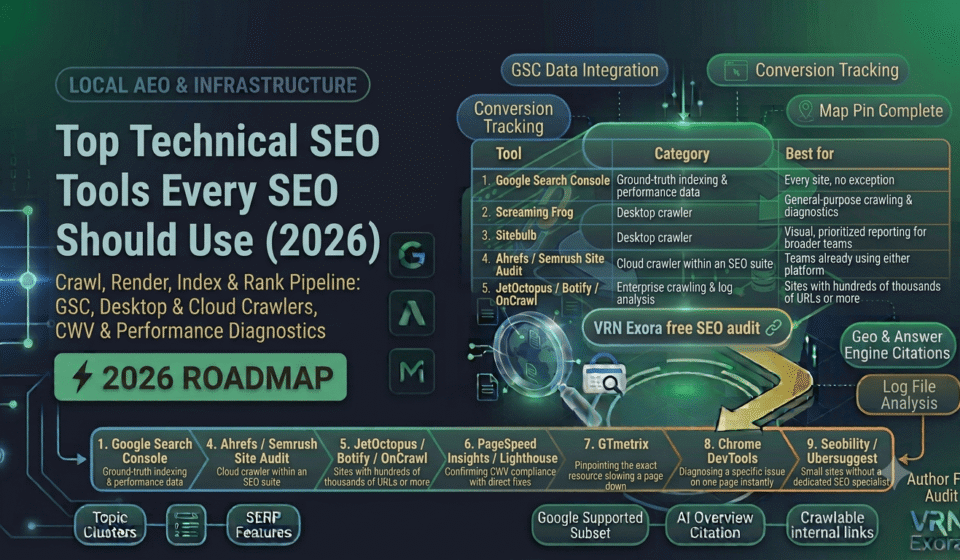
| Tool | Category | Best for |
|---|---|---|
| Google Search Console | Ground-truth indexing and performance data | Every site, no exception |
| Screaming Frog | Desktop crawler | General-purpose crawling and diagnostics |
| Sitebulb | Desktop crawler | Visual, prioritized reporting for broader teams |
| Ahrefs / Semrush Site Audit | Cloud crawler within an SEO suite | Teams already using either platform |
| JetOctopus / Botify / OnCrawl | Enterprise crawling and log analysis | Sites with hundreds of thousands of URLs or more |
| PageSpeed Insights / Lighthouse | Core Web Vitals and performance auditing | Confirming CWV compliance with direct fixes |
| GTmetrix | Performance diagnostics | Pinpointing the exact resource slowing a page down |
| Chrome DevTools | Real-time debugging | Diagnosing a specific issue on one page instantly |
| Seobility / Ubersuggest | Beginner-friendly site audit | Small sites without a dedicated SEO specialist |
How to Build a Lean, Effective Technical SEO Stack
Most sites need at minimum one crawler, one Core Web Vitals checker, and a verified Google Search Console property to cover the fundamentals. Beyond that baseline, add tools based on scale rather than habit: a small site rarely needs an enterprise log analyzer, and a million-page ecommerce catalog will genuinely outgrow a desktop crawler’s memory limits regardless of how good that crawler is.
When evaluating any new addition to a stack, prioritize tools that surface issues ranked by actual business impact rather than a raw count, and that integrate cleanly with the project management tools your team already uses, so a flagged issue becomes an assigned, tracked task rather than a static line in a report nobody revisits.
Frequently Asked Questions
What is the single most important free technical SEO tool?
Google Search Console, since it is the only tool that reports ground-truth crawl, index, and Core Web Vitals data directly from Google rather than an estimate or simulation, and it is completely free for any verified site owner.
Do I need both a desktop crawler and a cloud-based site audit tool?
Not necessarily both. A desktop crawler like Screaming Frog offers deeper configurability and custom extraction, while a built-in cloud audit inside Ahrefs or Semrush offers convenience for teams already using that platform. Choose based on whether depth or convenience matters more for your workflow.
When does a site outgrow a desktop crawler like Screaming Frog?
Once a site reaches the hundreds of thousands or millions of URLs, desktop crawlers run into local memory and processing limits, which is when a cloud-based enterprise platform like JetOctopus, Botify, or OnCrawl becomes the more practical option.
What is the difference between PageSpeed Insights and GTmetrix?
PageSpeed Insights reports Core Web Vitals scores based on real user data alongside Google’s own remedial suggestions. GTmetrix adds a detailed waterfall chart showing exactly which resource is causing a delay, which is more useful for developers who need to pinpoint a specific fix.
Are free technical SEO tools good enough for a small site?
Yes, for most small sites under a thousand pages, a combination of Google Search Console, PageSpeed Insights, and a free-tier crawler like Screaming Frog’s free version or Seobility covers the fundamentals well without any paid subscription.
How many technical SEO tools does a team actually need?
Most effective stacks combine two to four tools covering crawling, Core Web Vitals, and ground-truth Search Console data, rather than accumulating a larger toolbox with significant feature overlap.
Get a Free Expert Review of Your Technical SEO
Running the right tools is only half the job, interpreting what they find correctly is the other half. If you want a faster starting point, get a free SEO audit from VRN Exora and see exactly which technical issues on your site are worth fixing first.