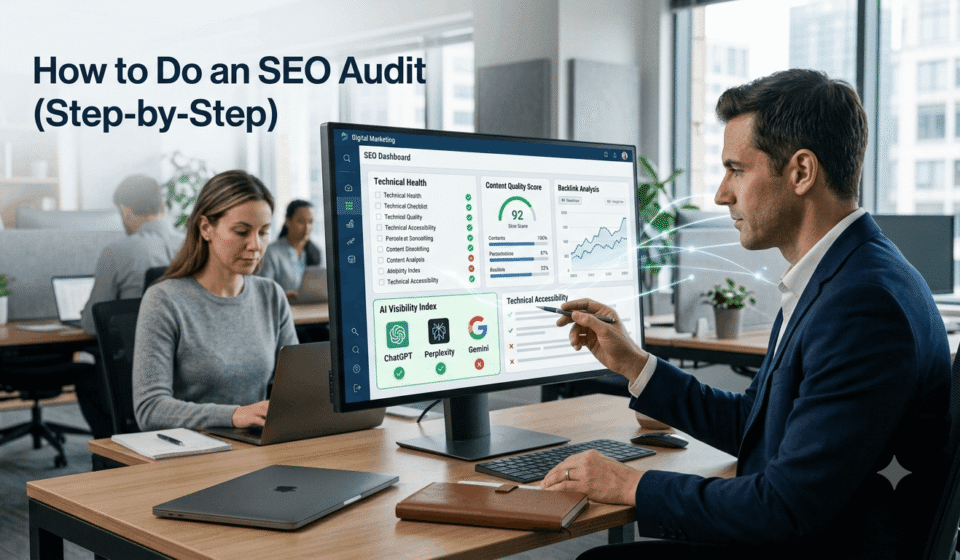

Ahrefs analyzed more than 1 million websites and found that virtually every website had at least one technical SEO with common problems like redirect errors, duplicate content, missing metadata, and crawlability issues affecting a large percentage of sites.
It is important to do regular SEO audits because these problems can make it harder for search engines to find, understand, and rank web pages.
But the job isn’t just about finding technical problems. Today, an SEO audit must also include your website’s ranking in AI-powered search. Rankings are still important, but they’re not the only way people find your content anymore.
A good SEO audit should answer three important questions:
- Can search engines crawl and index your website?
- Does your content give people the answers they are looking for?
- Can AI platforms understand your content and trust it enough to mention or cite your brand?
This guide shows you how to check each of these areas, step by step.
Quick Answer
- An SEO audit is a full check of your website’s technical health, content quality, backlink profile, and AI visibility.
- Start by confirming crawlers can access your site through robots.txt and your XML sitemap.
- Then fix technical errors, improve Core Web Vitals, close content gaps, and review your backlink profile.
- Finally, check whether AI platforms like ChatGPT, Perplexity, and Google’s AI Overviews mention and cite your brand correctly.
- Run a full audit twice a year, and monitor key metrics monthly in between.
What Is an SEO Audit?
An SEO audit is a structured review of how well your site performs in search engines and AI-driven answer engines.
It tells you what is broken, what is working, and where your biggest opportunities sit.
A complete audit typically covers five areas:
Crawlability and indexing: Can search engines and AI bots access your pages
Technical performance: Site speed, mobile usability, and Core Web Vitals
Content quality: Whether your pages fully answer search intent
Authority signals: Backlinks, referring domains, and brand mentions
AI visibility: Whether large language models cite and describe your brand accurately
Treat it as a diagnostic, not a one-time chore. Most sites benefit from a full audit twice a year, with lighter monthly check-ins in between.
Tools You Will Need
You cannot audit a site based on guesswork. Here is the core toolkit most SEOs rely on.
|
Tool |
Best For |
|
Google Search Console |
Indexing status, clicks, impressions, Core Web Vitals |
|
Google Analytics 4 |
Traffic behavior, engagement, conversions |
|
Screaming Frog |
Deep technical crawl, crawl depth, metadata |
|
Semrush Site Audit |
Technical error detection at scale |
|
Semrush Backlink tools |
Referring domains, toxic links, link gaps |
|
AI visibility trackers |
Brand mentions and citations across AI platforms |
Most of these tools offer a free tier, so you can start auditing before paying for anything.
Step 1: Confirm Crawlers Can Reach Your Site
Nothing else in this audit matters if search engines cannot crawl your pages.
Check your robots.txt file first. Visit yourdomain.com/robots.txt and look for any Disallow rules blocking important sections.
Pay attention to which crawlers you are allowing or blocking, including AI-specific bots:
- Googlebot and BingBot for traditional search
- OAI-SearchBot and PerplexityBot for real-time AI citations
- GPTBot and Google-Extended for AI model training
Blocking training crawlers is a legitimate choice, but do it intentionally, not by accident.
Next, review your XML sitemap. It should list only indexable, canonical URLs and be submitted via Google Search Console.
Step 2: Review Site Architecture and Crawl Depth
A clean site structure helps both crawlers and users find your best content quickly.
Important pages should sit within three clicks of the homepage. Anything deeper often gets deprioritized.
Use Screaming Frog or Semrush Site Audit to check crawl depth across your site.
Look for orphan pages, overly complex navigation, and important pages linked only from the footer.
Step 3: Check for Duplicate Site Versions
Multiple accessible versions of your domain can split your ranking authority.
Test all four URL variations: http, https, with www, and without www.
Only one version should load directly. Every other version should 301 redirect to that one.
Step 4: Test Mobile Usability
Google indexes the mobile version of your site first, so mobile experience carries real weight.
Resize your browser window and watch how the layout responds.
Then run Bing’s Mobile Friendliness Test to catch usability issues you might miss visually.
Step 5: Evaluate Site Speed and Core Web Vitals
According to Resourcera, 47% of people expect an average site to load in less than 2 seconds.
And 53% of mobile users will leave a page that takes more than 3 seconds to load.
Run your site through Google’s PageSpeed Insights tool and aim for a score in the mid-80s or higher.
Then check your Core Web Vitals in Google Search Console:
- Largest Contentful Paint (LCP): Under 2.5 seconds
- Interaction to Next Paint (INP): Under 200 milliseconds
- Cumulative Layout Shift (CLS): Under 0.1
Sites that meet these benchmarks tend to see stronger engagement and lower bounce rates.
Step 6: Crawl for Technical Errors
Run a full site crawl using Semrush Site Audit or Screaming Frog to catch structural issues.
Look specifically for:
- Broken internal links returning 404 errors
- Redirect chains and loops
- Orphan pages with no internal links
- Duplicate content across multiple URLs
- Pages marked “crawled, not indexed” in Search Console
Each issue reduces how efficiently search engines can process your site.
Step 7: Validate Structured Data
Search engines and AI systems can better understand your content when you use structured data, also known as schema markup.
Use Google’s Rich Results Test to check key pages.
Common schema types worth checking include FAQ, HowTo, Product, Article, and Review markup.
Now that AI shopping agents use it to compare prices and availability, clean product schema is even more important.
Step 8: Analyze Organic Traffic Trends
Open Google Search Console and review clicks, impressions, and average position over time.
If impressions are steady but clicks are falling, an AI Overview may be answering the query before users reach your site.
Cross-check in GA4 under Reports, then Acquisition, then Traffic Acquisition, filtered to Organic Search.
Watch for stable traffic paired with dropping engagement. That usually points to a content or UX problem, not a rankings problem.
Step 9: Benchmark Against Competitors
Identify who actually ranks for your target keywords, not just your direct business rivals.
Compare their content depth, page structure, and backlink profiles against your own.
Look for three gap types: content gaps, authority gaps, and distribution gaps across forums, YouTube, and industry publications.
Fix the gap that will move the needle fastest, not everything at once.
Step 10: Find Missing Keywords and Prompts
Use a keyword gap tool to see what your competitors rank for that you do not.
But think beyond isolated keywords. Modern search rewards topic clusters, not single-phrase pages.
Also check conversational, question-based queries. Search behavior is shifting toward natural language, and these queries often carry lower competition.
Step 11: Fix Duplicate Content and Cannibalization
Cannibalization happens when several pages on your site compete for the same keyword and intent.
Check Google Search Console’s Performance report to see if multiple URLs rank for one query.
If they do, merge the weaker pages, redirect them, or clearly differentiate their intent.
Step 12: Audit On-Page SEO
Review title tags, meta descriptions, header structure, and URL slugs across your most important pages.
Keep title tags under roughly 55 characters and meta descriptions around 105 characters.
Use one clear H1 per page, and structure subheadings logically so both readers and AI systems can follow the content.
Step 13: Review Content Quality and E-E-A-T
Search your target keywords and study what is already ranking well.
Then check your content against E-E-A-T: Experience, Expertise, Authoritativeness, and Trustworthiness.
AI systems increasingly favor content that looks credible, well-sourced, and written by identifiable experts.
For every underperforming page, decide whether to update it, rewrite it, merge it, or remove it entirely. Not every page deserves to stay live.
Step 14: Benchmark Your AI Visibility
This is the step most traditional audits still skip, and it matters more every quarter.
Run your core queries through ChatGPT, Perplexity, Gemini, and Google’s AI Overviews.
Check whether your brand is mentioned, explicitly cited, or missing entirely, then compare against two or three competitors.
If a competitor consistently gets cited for “best of” or comparison queries, that signals what AI systems currently trust in your space.
Step 15: Check What AI Is Saying About You
Ask AI platforms direct questions like “What does [your company] do?” or “[your company] vs [competitor].”
Document any factual errors, outdated pricing, or hallucinated claims you find.
Fix inaccuracies on your own site first, since AI tools lean heavily on primary sources for brand-related answers. As part of an LLM SEO audit, review how AI platforms interpret your brand, identify gaps or inconsistencies, and make sure your website provides clear, accurate information that supports reliable AI-generated answers.
Step 16: Review Backlinks and Brand Mentions
Analyze your backlink profile for growth trends, link quality, and topical relevance.
Watch for spammy or toxic link clusters, and disavow only as a last resort.
Also track unlinked brand mentions across forums like Reddit and Quora. These often surface in both search results and AI-generated answers, even without a clickable link.
Step 17: Check SERP Feature Visibility
SERP features now shape how much traffic even a top ranking actually earns.
These include featured snippets, People Also Ask boxes, AI Overviews, image packs, and shopping results.
Use Position Tracking to see which features appear for your target keywords and whether you currently show up in them.
Putting It All Together
Prioritize fixes in this order for the fastest impact:
- Tier 1: Crawl and indexing issues, broken pages, critical technical errors
- Tier 2: Content quality, keyword gaps, and top-traffic pages
- Tier 3: Backlinks, brand mentions, and AI visibility improvements
An SEO audit is not a one-time report. It is a recurring health check that keeps your site visible across search engines and AI answer engines alike.
Run Your Audit Faster with VRN Exora
It is time consuming to check each of these items by hand. In the VRN Exora SEO audit tool, you can automate the process and save time.
It scans your site and gives you one report on technical errors, content gaps, backlink issues, and AI visibility so you can fix what matters most instead of having to dig through a dozen tools.
Frequently Asked Questions
How often should you run an SEO audit?
Run a full SEO audit twice a year, and monitor traffic, indexing, and rankings monthly in between. Sites that publish frequently or run e-commerce catalogs benefit from more frequent technical checks.
How long does an SEO audit take?
A basic SEO audit takes a few hours, while a comprehensive one spanning technical, content, backlinks, and AI visibility can take several days. Site size and page count are the biggest factors.
Can you do an SEO audit for free?
Yes. Google Search Console and Google Analytics cover the basics at no cost. Paid tools like Semrush speed up the process by automating error detection and prioritization across large sites.
What is the difference between a technical SEO audit and a full SEO audit?
A technical audit checks crawlability, indexing, and site speed. A full audit adds content quality, keyword coverage, backlinks, and AI visibility on top of the technical foundation.
How has AI changed SEO audits?
Modern audits now include AI crawler access, brand citation tracking across ChatGPT and Perplexity, and accuracy checks on how AI describes your brand. Technical and content fundamentals still matter, but they are no longer the only factors.