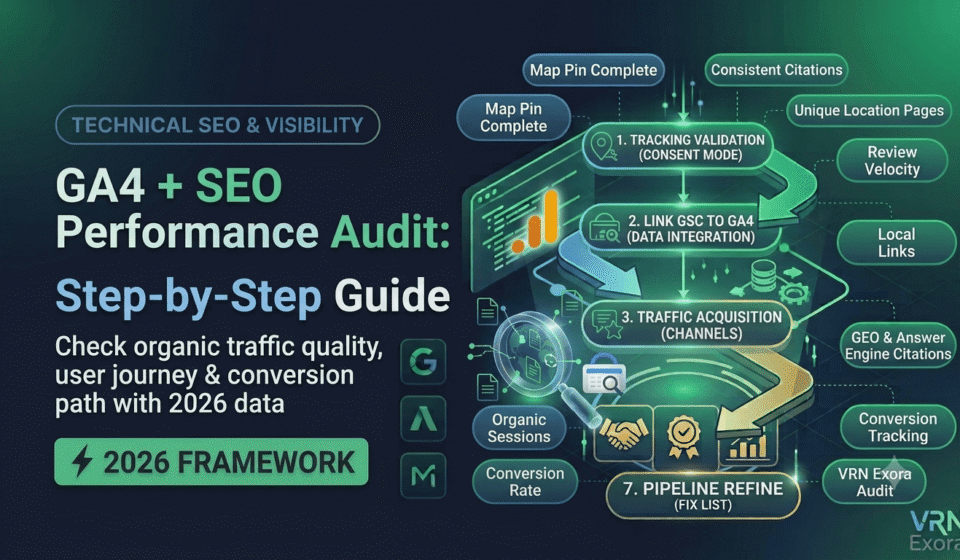

A GA4 and SEO performance audit combines Google Search Console’s view of how Google finds and ranks your pages with Google Analytics 4’s view of what real visitors actually do once they land, so you can see the full picture instead of half of it. This guide is for SEO managers, marketers, and site owners who already know GA4 exists but rarely go past the default homepage report. You will learn how to confirm your tracking is trustworthy, connect Search Console to GA4, and read the specific reports that reveal whether your organic traffic is converting or quietly leaking away.
What Is a GA4 SEO Performance Audit?
A GA4 SEO performance audit is a structured review of organic search behavior inside Google Analytics 4, layered against Search Console’s ranking and click data, to answer a question neither tool can fully answer alone: is your organic traffic actually valuable? Search Console tells you what Google shows searchers and how often they click. GA4 tells you what those visitors do next, whether they engage, convert, or leave immediately.
Before analyzing anything, you need to trust the data. In 2026, gaps in GA4 reporting often come from technical tracking issues rather than an actual drop in traffic, so the first real step of this audit is confirming the numbers are accurate before drawing any conclusions from them.
Step 1: Confirm Your Tracking Setup Is Actually Trustworthy
Check that Consent Mode is implemented correctly if your site serves visitors under privacy regulations that require cookie consent, since misconfigured consent settings silently suppress a portion of your real traffic without any obvious error. Confirm Google Tag Manager and the GA4 tag are firing correctly across your key templates, not just the homepage, since a broken tag on a specific page template can quietly zero out its data for months before anyone notices.
Record your baseline numbers before making changes: current organic sessions, conversion rate from organic traffic, and engagement rate on your top landing pages. Every fix you implement later should be traceable back to movement in one of these baseline metrics, so skipping this step makes it impossible to prove the audit actually worked.
Step 2: Link Google Search Console to GA4
If Search Console is not already linked to your GA4 property, connect it before going further. This unlocks two reports you cannot get any other way: a Queries report showing impressions, clicks, click-through rate, and average position by search term, and a Google organic search traffic report showing how individual landing pages perform combined with the query string that brought the visitor there.
Keep two limitations in mind. Search Console data inside GA4 can only be combined with a limited set of GA4 dimensions, mainly landing page, device, and country, and Search Console itself only retains sixteen months of historical data with roughly a two-day reporting lag. For anything older or more granular, you will still need to check Search Console directly.
Step 3: Review the Organic Search Channel in the Acquisition Report
Open the Traffic acquisition report under Acquisition and filter to Organic Search using the Session default channel grouping dimension. This isolates search traffic from paid, social, referral, and direct, which is essential since blending all channels together hides whether a traffic change is an SEO issue or a site-wide one.
Compare organic sessions over the last 28 days against the prior period, the same window used for a Search Console audit, so the two data sets line up. If organic sessions dropped while other channels stayed flat, the cause is almost certainly search-specific rather than a broader site problem, which tells you where to look next.
Step 4: Audit Landing Page Performance for Organic Traffic
Go to Engagement, then Landing page, and apply a filter for Organic Search using the Session default channel grouping. Sort by sessions in descending order to see which pages actually pull organic traffic, then check each one’s engagement rate and conversion rate alongside it.
Look specifically for pages with strong session volume but a weak engagement rate. GA4 counts a session as engaged if it lasts at least ten seconds, includes a key event, or includes two or more page views, so a landing page with a low engaged share is a clear signal that visitors are not finding what they expected after clicking through from search. Also flag high-traffic pages with disproportionately low conversions compared to similar pages, since these often reveal a mismatch between what the search snippet promises and what the page actually delivers.
Step 5: Check Engagement Rate and Key Events by Page
Open Reports, then Engagement, then Pages and screens, and review average engagement time and engagement rate per URL. High traffic paired with low engagement time usually points to an expectation gap between the search query and the content, and is worth reviewing before investing in expanding that topic further.
Confirm your Key Events are actually configured for the actions that matter to the business, not just a default “page view” or generic conversion. In 2026, this typically means marking specific actions like form submissions, click-to-call, get-directions, or trial signups as Key Events rather than relying on GA4’s default conversion settings, since those defaults rarely reflect what a specific business actually needs to track.
Step 6: Combine GSC Queries With GA4 Landing Pages
Build a simple exploration that maps specific landing pages to the search queries driving traffic to them, using the Search Console integration from Step 2. This connects two things that are normally analyzed separately: which keywords are actually working, and how the pages ranking for them perform once a visitor arrives.
This step matters more than it looks. A landing page can rank well and pull strong impressions in Search Console while quietly underperforming once traffic actually lands on it in GA4, and neither tool alone will show you that gap. Cross-referencing both is the only way to catch it.
Step 7: Trace the Path From Landing Page to Conversion
Use the Path Exploration report to follow what organic visitors actually do after landing on a page. Are they moving toward a contact or product page in a logical sequence, or bouncing around several pages before leaving without converting? This reveals the quality of your search traffic in a way session counts and rankings alone cannot.
Pay particular attention to your highest-value pages, since a maze-like path from a strong landing page to your goal conversion is a fixable structural problem, often solved with clearer internal links or a more direct call to action, rather than a content or ranking issue at all.
How to Turn Your Findings Into an Action Plan
Group findings into three categories: technical tracking issues that must be fixed before any data can be trusted, pages with strong traffic but weak engagement or conversion that need a content or UX fix, and genuine ranking or visibility problems that belong back in a Search Console audit rather than GA4. As you roll out fixes, add annotations directly in GA4 at the date of each change, since this makes it far easier to later confirm which specific fix actually moved a metric.
Rerun this audit quarterly, or monthly if you are actively recovering from a known traffic drop. GA4 and Search Console both update frequently enough that a quarterly cadence catches meaningful shifts without drowning you in noise from normal week to week fluctuation.
Frequently Asked Questions
How often should I run a GA4 SEO performance audit?
Quarterly for most sites, or monthly if you are tracking recovery from a recent traffic drop or actively testing changes to high-priority pages.
Why does my GA4 organic traffic not match Search Console clicks?
The two tools measure different things. Search Console counts clicks from Google’s search results, while GA4 counts sessions that successfully loaded and fired a tracking tag, so gaps often point to tracking issues, consent settings, or bot traffic rather than a true discrepancy in real visits.
What is a good engagement rate for organic landing pages?
There is no universal target, since it varies heavily by content type and industry, but industry benchmarks commonly cluster around the mid-fifty percent range. Use it as a comparison point across your own pages rather than chasing an absolute number.
Do I need to link Search Console to GA4 for this audit?
Yes. Linking unlocks the Queries report and the Google organic search traffic report inside GA4, which are the only way to combine keyword-level Search Console data with GA4’s landing page and engagement metrics in one place.
What should I check first if organic conversions suddenly dropped?
Confirm tracking is still firing correctly and that Key Events are still configured properly, since a tagging or consent issue is a more common cause of a sudden reporting drop than an actual change in visitor behavior or Google rankings.
Can GA4 tell me which keywords are converting?
Not directly on its own, since GA4 is page-based rather than query-based. Once Search Console is linked, you can approximate this by combining the Queries report with landing page conversion data, though exact keyword-to-conversion attribution is more limited than in the old Universal Analytics setup.
Get a Free Expert Review of Your SEO Performance Data
Reading GA4 and Search Console together takes practice, and it is easy to miss a tracking gap or a page quietly leaking conversions. If you want a faster starting point, get a free SEO audit from VRN Exora and see exactly where your organic traffic is working and where it is not.